





Sankey Diagram

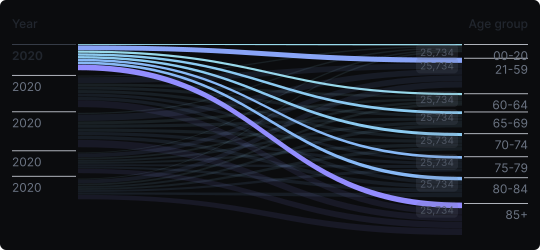
Sankey Chart
A Sankey diagram visualizes flows between nodes, where the width of each flow path is proportional to the quantity it represents. Nodes are the stages, categories, or endpoints, and the flowing ribbons between them show how values are distributed, transferred, or transformed from one state to another.
When to use it?
Use a Sankey chart when you want to trace how a quantity flows through a system — for example, energy conversion and loss, budget allocation across departments, user journey through a funnel, or traffic between web pages. It is ideal when the transitions and proportions between stages are the core message.
What makes it effective?
The proportional width of flows immediately communicates magnitude — thick ribbons represent major flows, thin ones represent minor transfers. The layout naturally draws the eye along pathways, making it easy to follow where quantities go and where they are lost or gained.
When to avoid it?
Sankey charts become visually complex and tangled with too many nodes or crossing flows. They are also not suitable for datasets without a clear directional or sequential structure. For simple comparisons, a bar or stacked bar chart is far easier to read.
Sankey charts are uniquely powerful for process and flow analysis. Use them when the story is fundamentally about movement, transfer, and distribution — not just magnitude.
Similar Charts

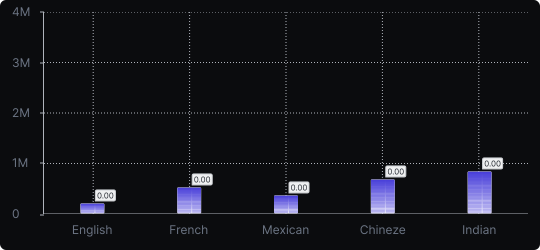
Vertical Bar Chart
The most common way to compare amounts: one vertical bar per category, with bar height showing the value. Clear, familiar and easy to read at a glance.


Comparison


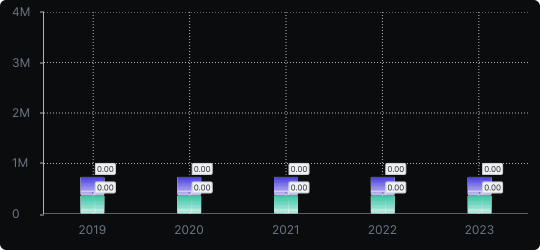
Stacked Vertical Bar Chart
A vertical bar chart that layers multiple data series within each bar, showing both the total and the composition of each category.
Comparison


Proportions


