





Stacked Lollipop Chart

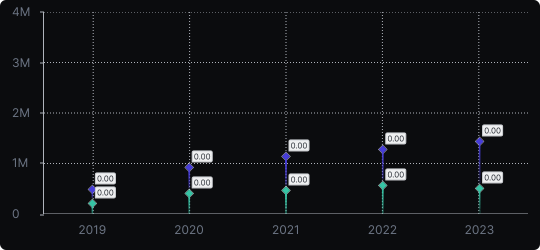
Stacked Lollipop Chart
The stacked lollipop chart merges the visual lightness of lollipop charts with the compositional storytelling of stacked charts. Each lollipop is divided into colored segments, showing how sub-categories contribute to the whole while keeping the overall design clean and uncluttered.
When to use it?
Use it when you need to display both total values and their internal composition across many categories without the visual heaviness of stacked bars. It suits dashboards with limited space or presentations where a modern aesthetic is desired.
What makes it effective?
The thin stem and segmented dot maintain legibility even with many data points. The design is less common, which can draw attention and make the chart feel distinctive.
When to avoid it?
Because it is unconventional, it may confuse audiences unfamiliar with lollipop charts. It is also not ideal when precise comparison of middle segments is necessary, as the stacking makes accurate reading challenging.
Reserve this chart for audiences comfortable with data visualization and contexts where you want a clean, modern aesthetic alongside compositional detail.
Similar Charts

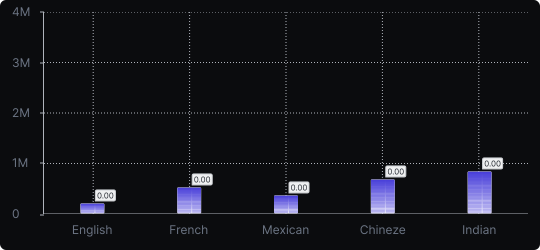
Vertical Bar Chart
The most common way to compare amounts: one vertical bar per category, with bar height showing the value. Clear, familiar and easy to read at a glance.


Comparison


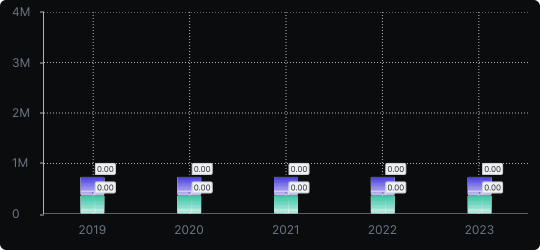
Stacked Vertical Bar Chart
A vertical bar chart that layers multiple data series within each bar, showing both the total and the composition of each category.
Comparison


Proportions


