





Punchcard Chart

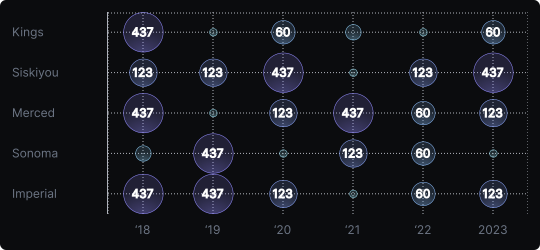
Punchcard Chart
A punchcard chart is a grid-based visualization where each cell contains a circle whose size encodes a numerical value. It is essentially a heatmap that uses area instead of (or in addition to) color to communicate magnitude, offering a tactile and immediately legible alternative.
When to use it?
Punchcard charts are ideal for visualizing activity patterns across two categorical axes — such as the hour of day vs. day of week for user activity, or product vs. region for sales volume. The varying dot sizes make it easy to identify high-activity cells at a glance.
What makes it effective?
Size is a pre-attentive visual attribute — large dots immediately pop out of the grid. Combined with color, a punchcard can encode two dimensions simultaneously, making it more expressive than a plain heatmap.
When to avoid it?
Punchcard charts can become cluttered with too many rows or columns. They are also less precise for exact value comparison than bar charts. Use them when pattern discovery and visual appeal matter more than precise numerical reading.
Punchcard charts are a great fit for dashboards showing cyclical behavior, such as traffic peaks by hour and weekday.
Similar Charts

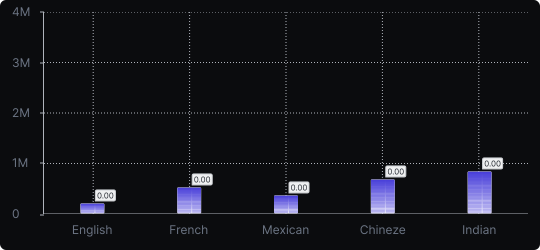
Vertical Bar Chart
The most common way to compare amounts: one vertical bar per category, with bar height showing the value. Clear, familiar and easy to read at a glance.


Comparison


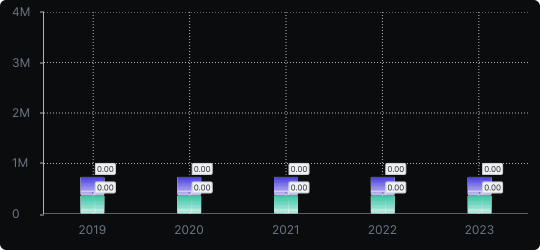
Stacked Vertical Bar Chart
A vertical bar chart that layers multiple data series within each bar, showing both the total and the composition of each category.
Comparison


Proportions


